Find food
on your route
Maps show you what's nearby — but not what's on the way. FastFork finds top-rated restaurants along your actual driving route, so you never have to detour for a meal.
Available on iOS
Find food in three taps
Google Maps and Apple Maps only search nearby — FastFork searches along your entire route
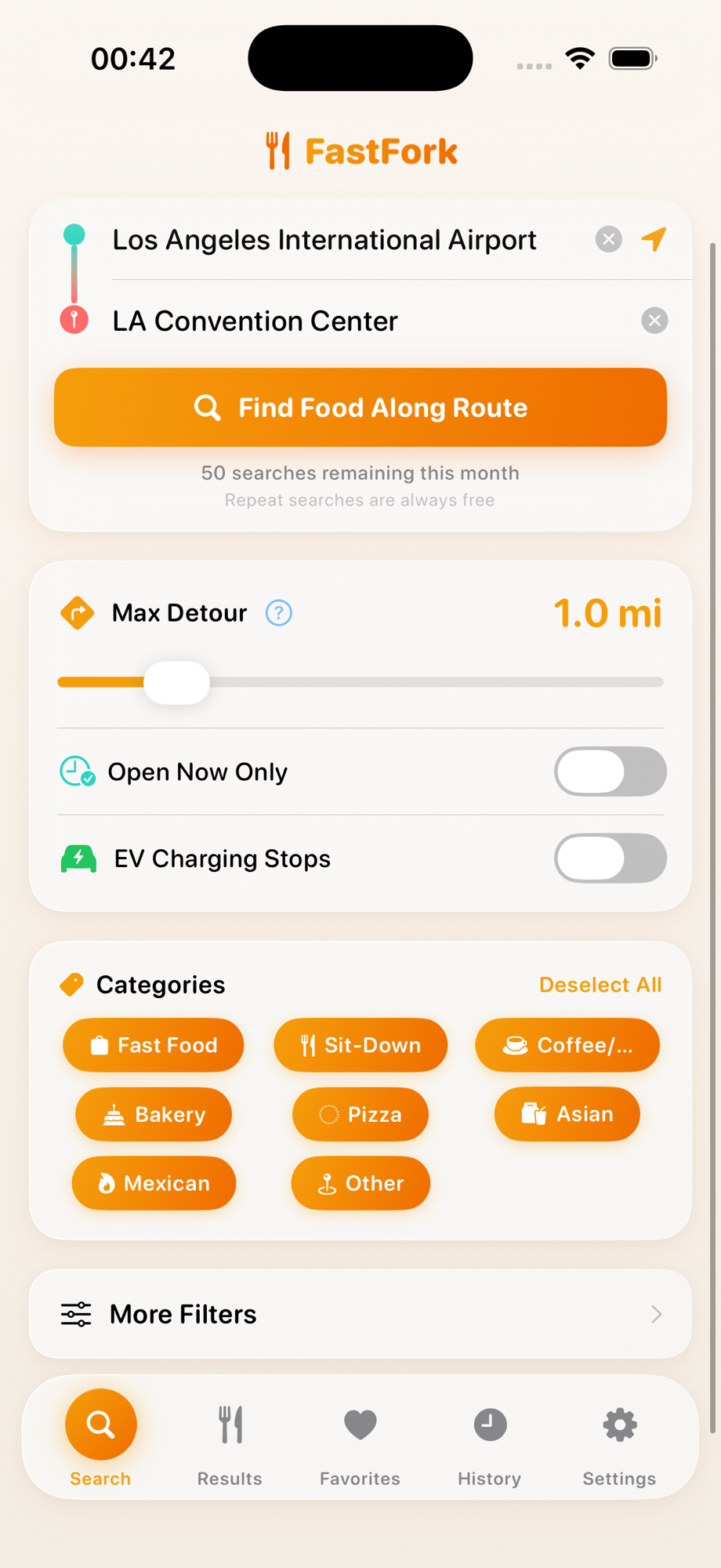
Enter your route
Type your start and destination, or tap the location button to use your current location. Set your max detour distance, toggle open-now filtering, and pick the food categories you're craving.
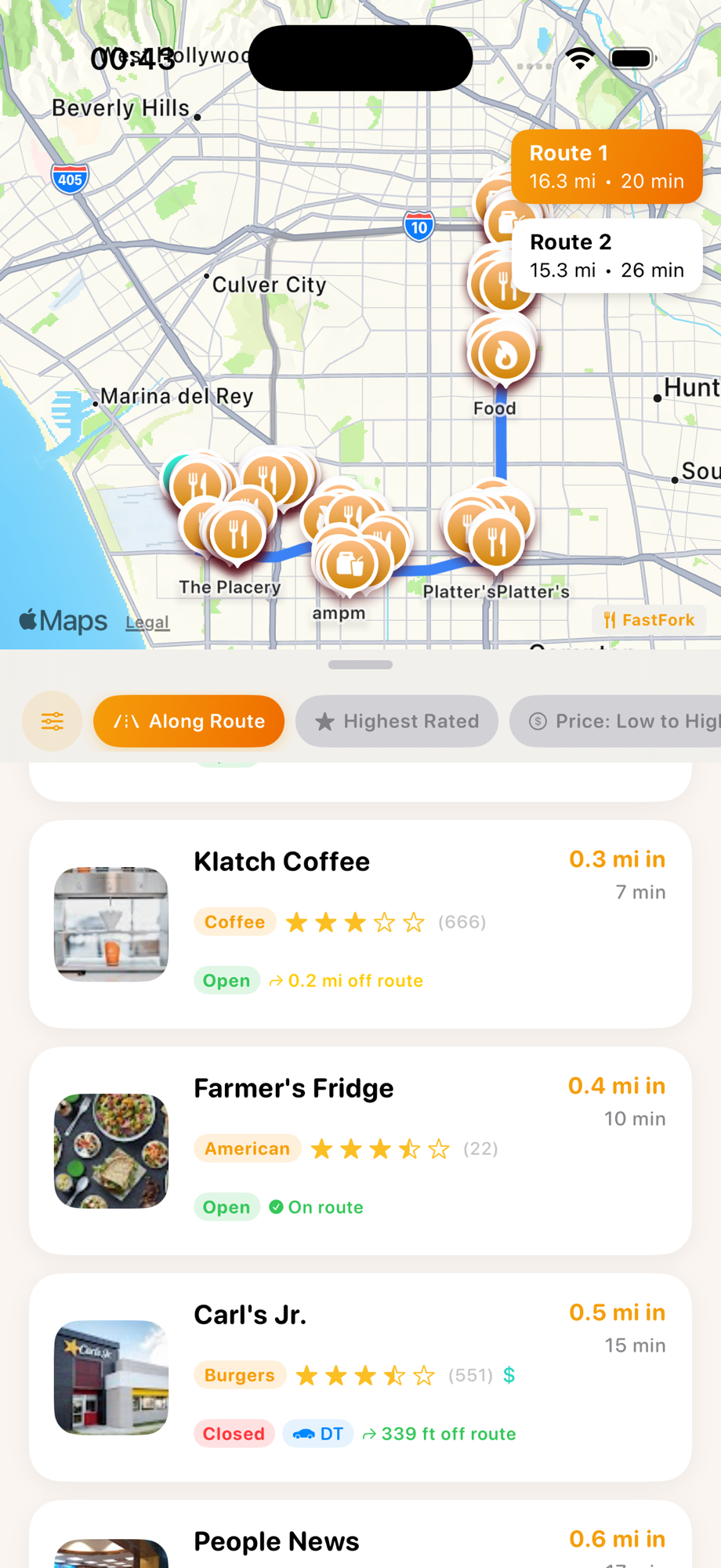
Browse results on the map
See every restaurant pinned along your actual driving route. Compare multiple routes, sort by rating or distance, and see exactly how far each stop is off your path.
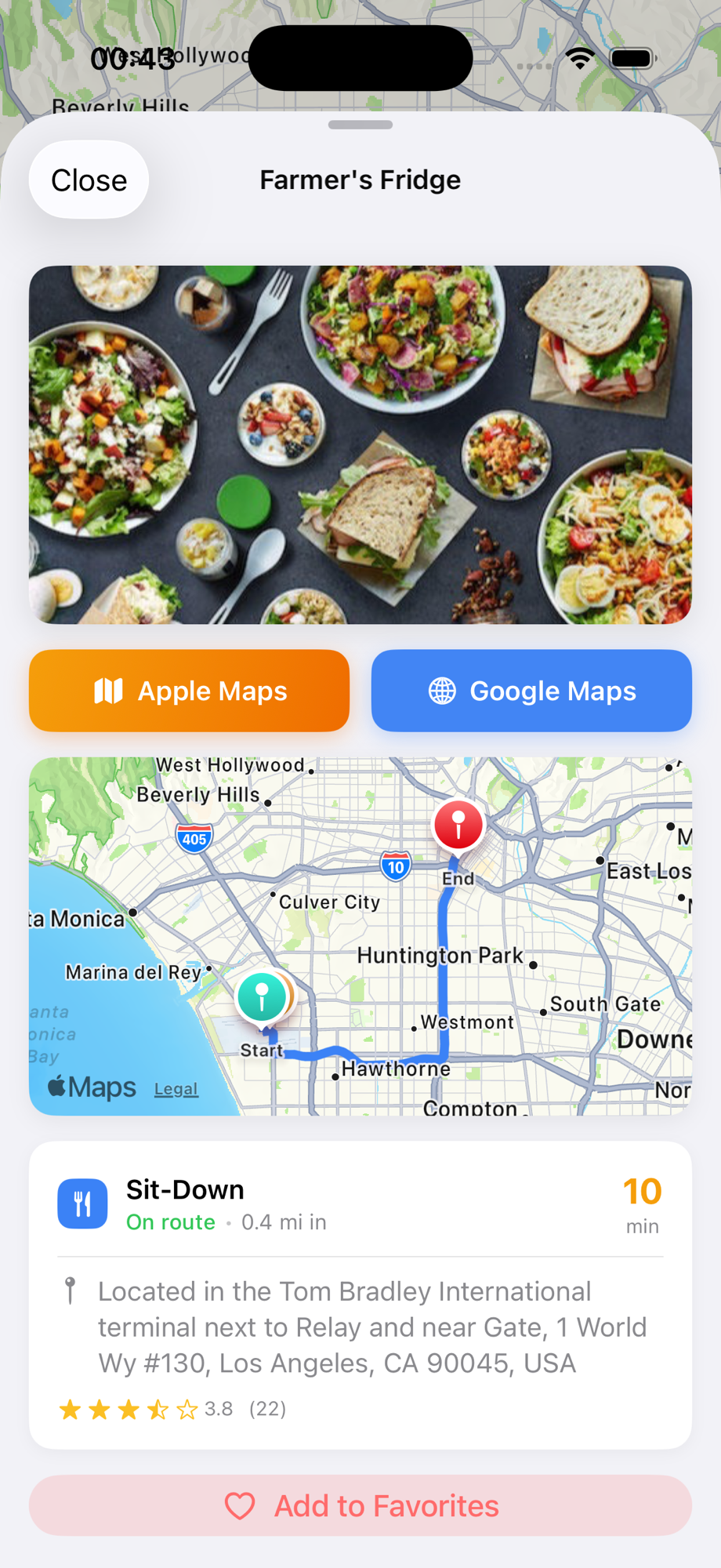
Pick your stop and go
Tap any restaurant for photos, ratings, hours, and address. Then navigate there instantly with Apple Maps or Google Maps — one tap and you're on your way.
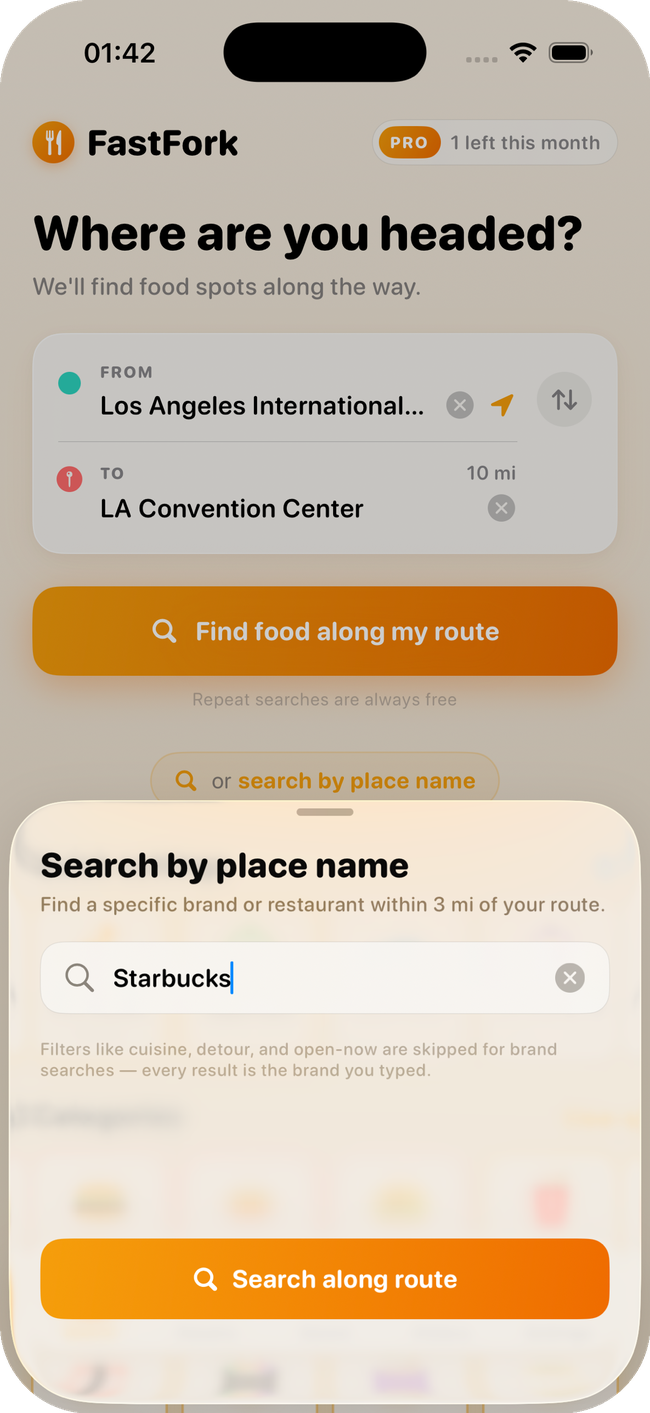
Hunting a specific brand? PRO
Craving Starbucks, Chick-fil-A, or that one bakery you saw on TikTok? Type the name and FastFork pins every nearby location along your route — not just the closest one. Skip the detour roulette and pick the stop that's actually on your way.
Set your detour tolerance
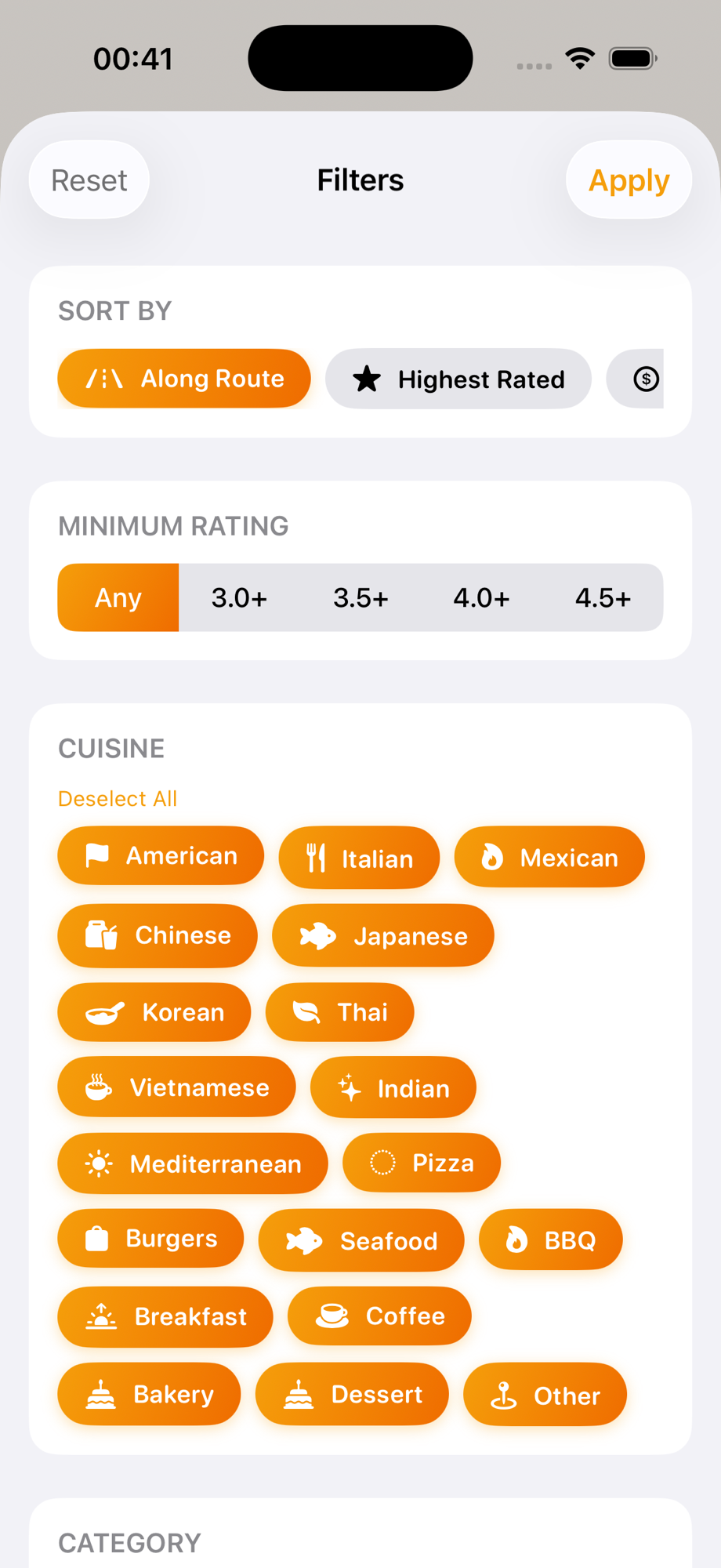
Pick how far you're willing to wander — from a quick 0.25-mile pull-off to a 5-mile side trip. Then narrow results to drive-thru only, open now, or stops near EV charging.
Built for the road
Every feature designed to make food stops effortless
Smart Route Search
Searches along your actual driving route — not just a radius around a random point
Detour Estimates
See exactly how many extra minutes each restaurant adds to your trip
Category Filters
Fast food, sit-down, coffee, pizza, Asian, Mexican, bakery — find what you're craving
Ratings & Photos
Google ratings, review counts, and photos so you know what you're walking into
EV Charging Mode
Find restaurants near charging stations — eat while your car charges
Save Favorites
Bookmark the best spots for your regular routes and future trips
Every kind of trip
Whether it's a daily commute or a cross-country adventure
Road Trips
Find the best local restaurants along your multi-state drive instead of settling for gas station food
Daily Commute
Discover new lunch spots between home and work that you'd never find otherwise
Weekend Getaways
Plan food stops for your weekend trip so the whole drive is part of the experience
EV Charging Stops
Make the most of your 30-minute charge by eating at a great restaurant nearby
Not just nearby. On the way.
See how FastFork compares to the maps you already use
| Feature | Apple Maps | Google Maps | FastFork |
|---|---|---|---|
| Searches along your entire route | No | No | Yes |
| Shows exact detour distance per stop | No | No | Yes |
| Sort results by detour, not distance from you | No | No | Yes |
| Real visitor tips & insider quotes | No | No | Yes |
| Filters out gas stations & convenience stores | No | No | Yes |
| Works without an account | Yes | No | Yes |
Start free, upgrade anytime
No credit card required to get started
Free
For casual drivers
- 5 searches per day
- Routes up to 100 miles
- All filters & categories
- Save favorites
- Search history
Pro
For frequent travelers
or $39.99/year (save 33%)
- 300 searches per month
- Real visitor tips & insider quotes
- Routes up to 500 miles
- Up to 6× deeper restaurant coverage per search
- More search points on longer routes
- No ads
Common questions
Do I need to create an account?
No. FastFork works straight out of the box — no signup, no email, no password. Just open the app and search.
Does FastFork track me or store my route history?
No. FastFork doesn't collect personal data, doesn't track you across apps, and doesn't sell anything to advertisers. Your recent searches stay on your device — we never see where you're driving.
What's the difference between Free and Pro?
Free gives you 5 searches per day on routes up to 100 miles. Pro unlocks 300 monthly searches, routes up to 500 miles, deeper restaurant coverage, real visitor tips, and removes ads.
Which countries does FastFork work in?
FastFork works anywhere Google and Foursquare have restaurant coverage — including the US, Canada, UK, EU, Australia, and most major regions worldwide.
How is FastFork different from Google or Apple Maps?
Both maps apps only show you what's near your current location or near your destination. FastFork searches the entire driving corridor between them — and tells you exactly how far each stop is off your route.
Can I cancel my Pro subscription anytime?
Yes. Manage your subscription in iOS Settings → your Apple ID → Subscriptions. Cancel anytime and keep Pro access until the end of your billing period.
Is FastFork on Android?
Not yet — FastFork is iOS only today. If you'd like Android support, let us know at support@fastfork.app.